

Finch
A pixel art editor that gets out of your way.
A small, fast desktop editor for pixel art and sprite animation. Any canvas size, zoom as far as you like, trace over a reference, animate with onion skin, and export crisp art at any size. Every pixel you export is one you put there.
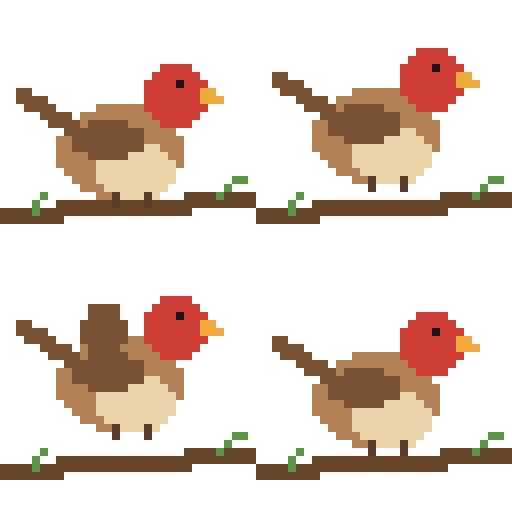
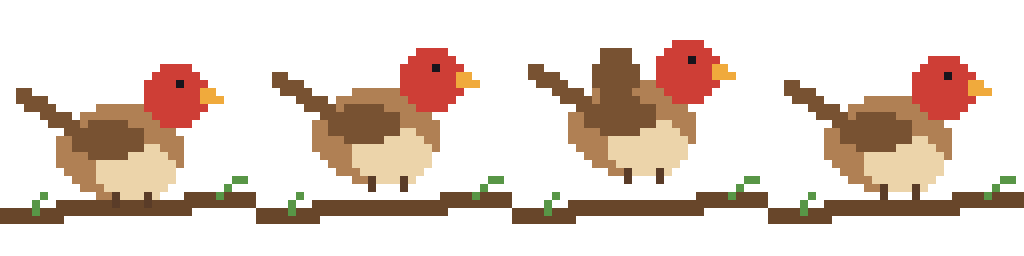
From one drawing to a hop in seconds.
Duplicate the frame, move the bird layer up, raise the wing, check the arc with onion skin, then hit Play. Then export it at any size, sharp.
Everything a sprite needs.
Draw
Nine tools, each one key away. Shapes show the real pixels while you drag, so nothing changes when you let go. Right button paints the secondary colour, and Smooth softens jagged edges without touching your shading.
Layers and frames
Stack as many layers as you need, each with its own visibility and opacity. Layers live on each frame, so holding a pose with a duplicated frame keeps every layer intact.
Animate
A filmstrip with live thumbnails, onion skin in red and blue that fades with distance, and playback from 1 to 120 fps right in the canvas.
Trace over anything
Load a reference image under your canvas. Set its opacity, drag and scale it, lock it or hide it. It is saved inside the project, so moving the original never breaks anything.
Start from a picture
Import Image crunches a photo or drawing down to a canvas you can paint on, with colour reduction and hard edges, and shows the actual result before you commit.
Export small art large
PNG, sprite sheet or GIF, from 1x to 512x or fit inside any size up to 4096 px. One source pixel becomes one perfect square block, and alpha is kept exactly.
Palettes
Presets from Greyscale and the 216 colour cube to CGA, Commodore 64 and Game Boy. Ramp turns a colour into eight alpha levels for quick shading.
Work your way
Tabs with their own zoom and undo, a pixel grid plus a tile grid, zoom toward the cursor, and a dark or light theme one shortcut apart.
An open format
A .finch file is just a zip: a manifest, one PNG per frame, and your reference. Your art is never locked in.